Mach4 and ESS Plugin THC-1 Configuration Ver. 2
Used software: Mach4 4.2.0.5920.
https://www.machsupport.com/ftp/Mach4/DevlopmentVersions/Mach4Hobby_Installer-4.2.0.5920.exe
ESS Plugin Mach4: ESS v278.1
https://warp9td.com/files/Plugins/ESS/Mach4/ESS_Mach4_v320.zip *
Screen
https://warp9td.com/files/Plugins/ESS/HC/SS_HC_v06.set
STEP 1: Start by making a backup of the existing installation:
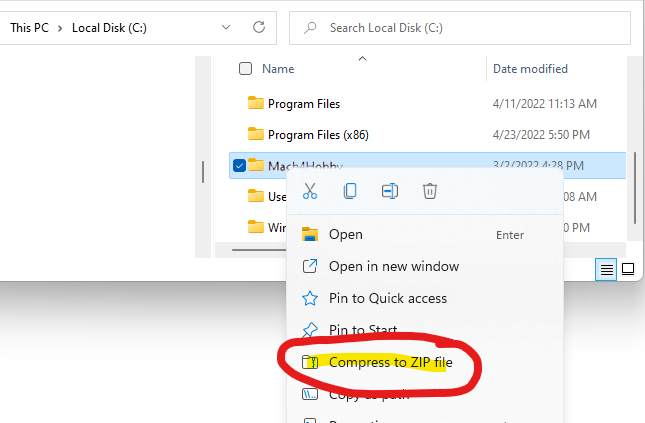
Make a backup of the configuration and installation files. Right-click the installation folder and compress it into a ZIP file.
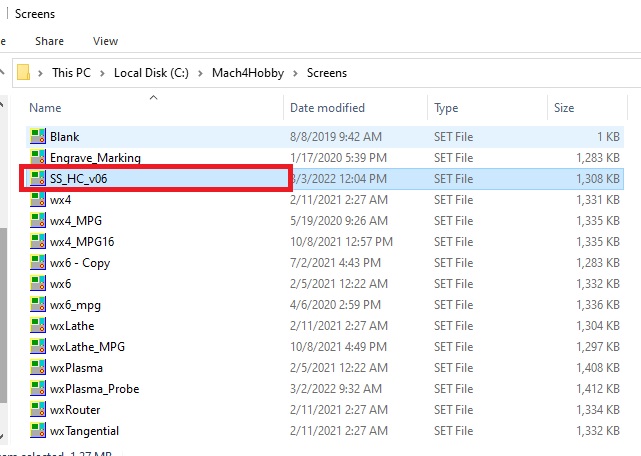
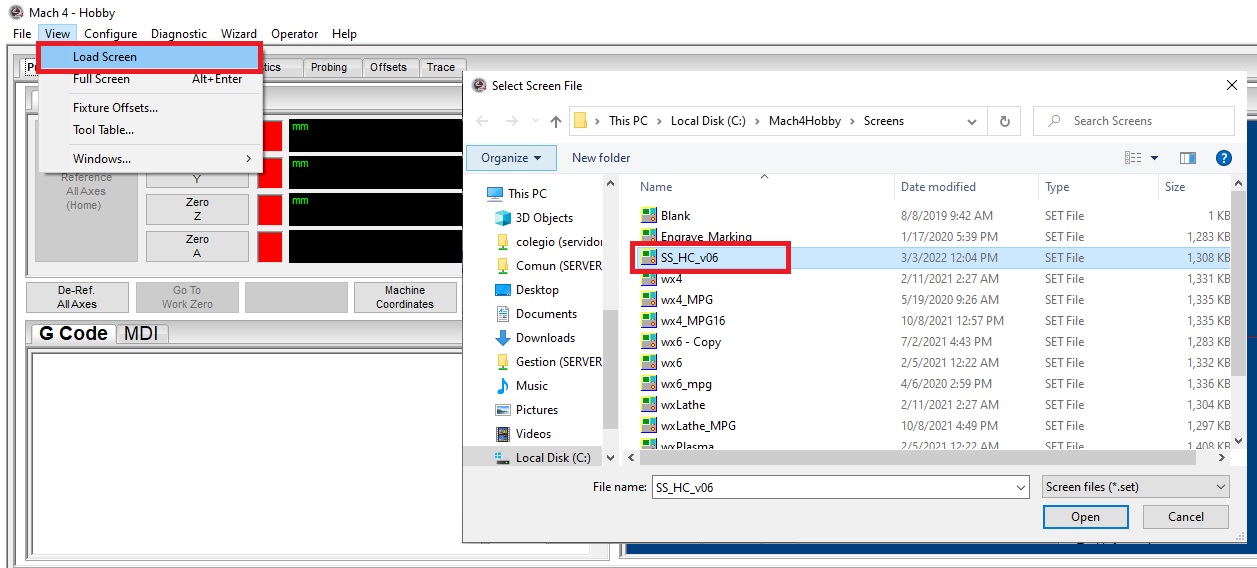
STEP 2: Download, extract, and copy the SS_HC_v06.set into the Mach4 screens directory.
STEP 3: Wiring samples:

STEP 4: Configure the Mach4 Plasma Screen.
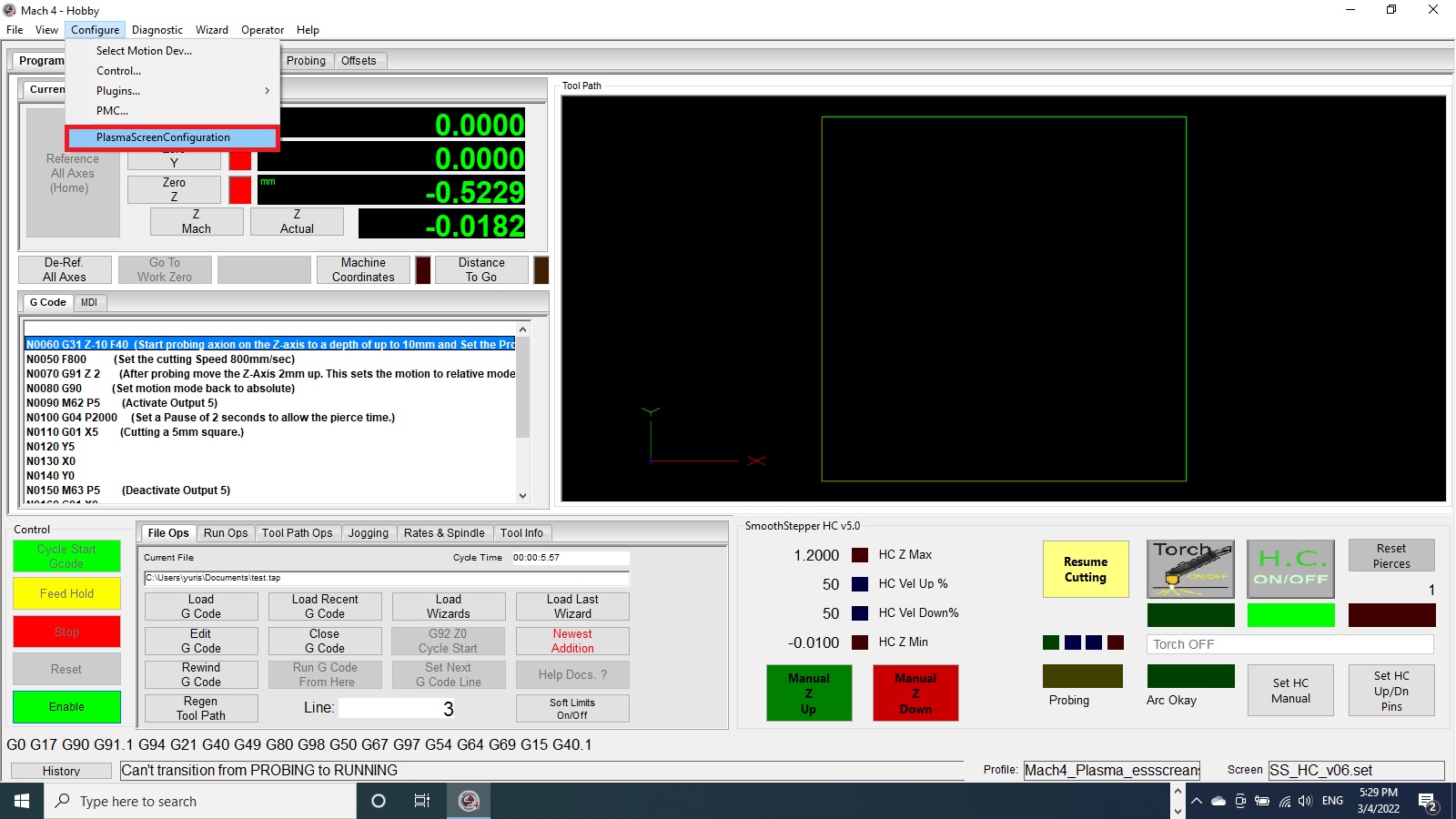
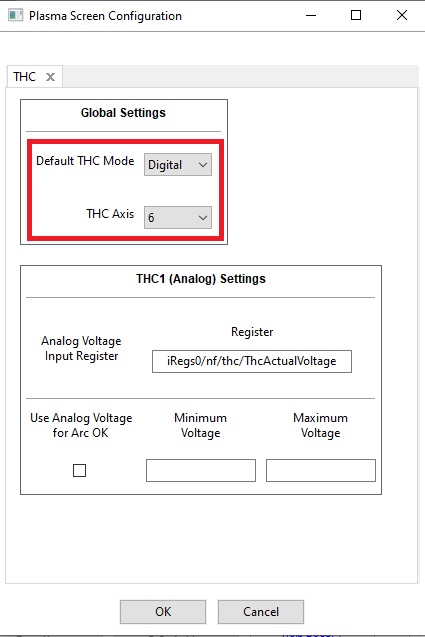
STEP 5: Configure the ESS plugin:
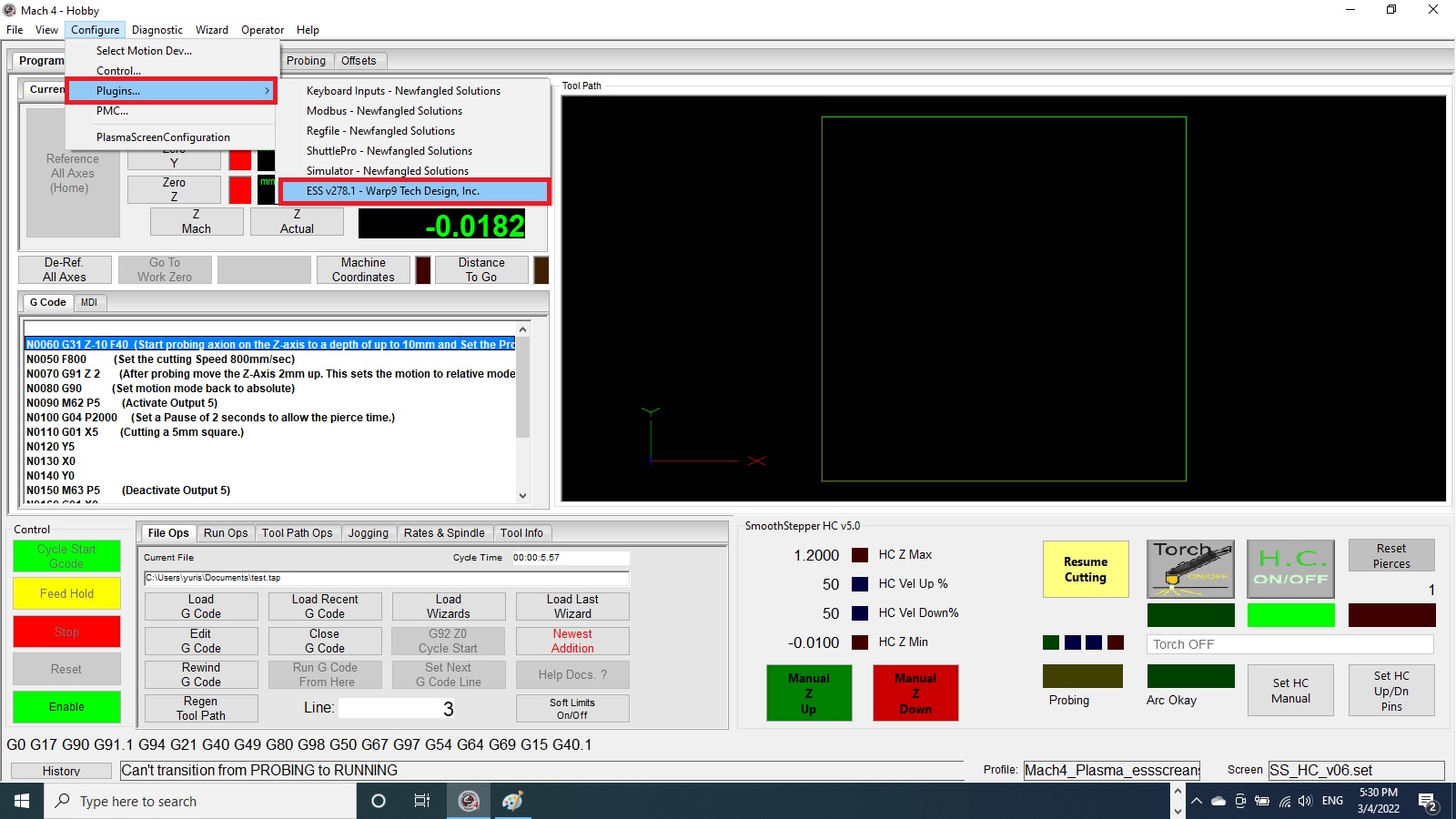
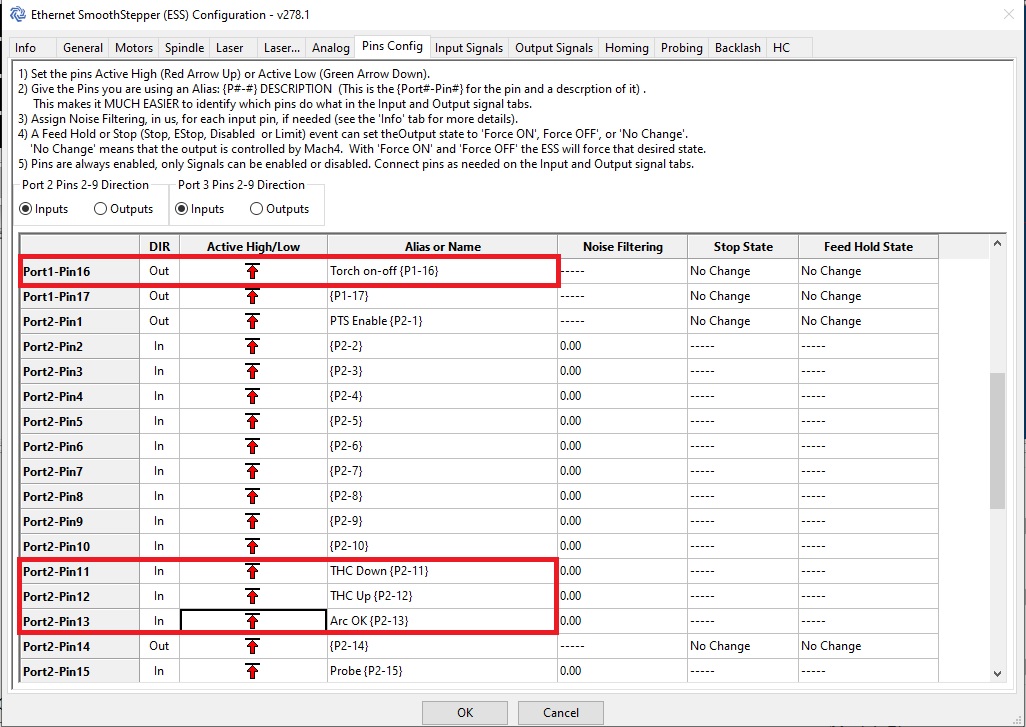
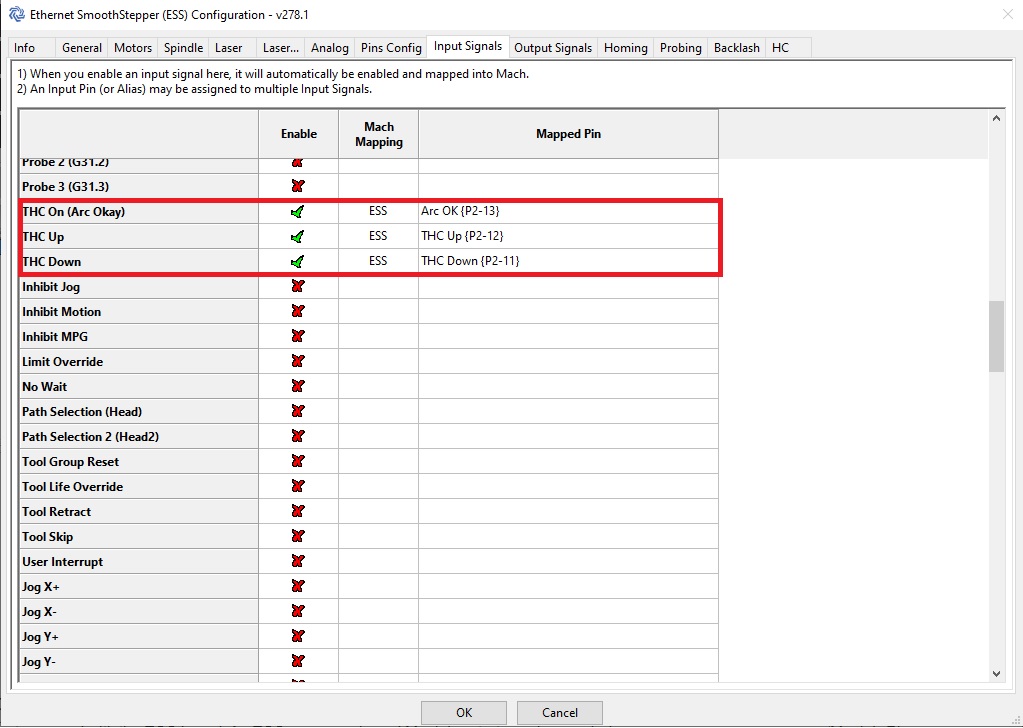
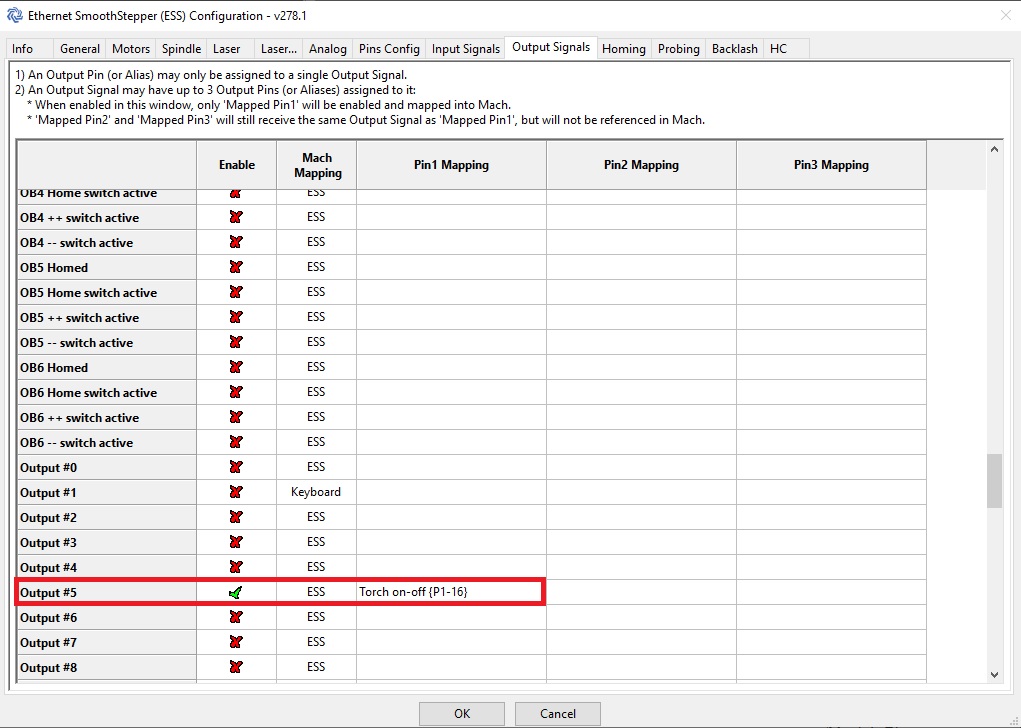
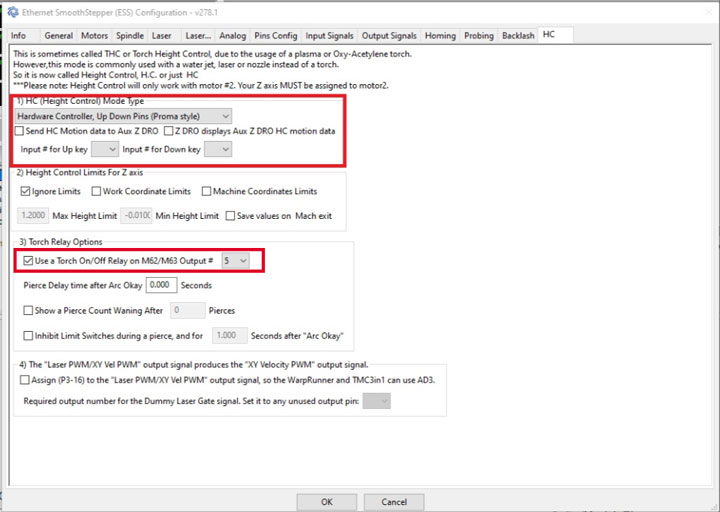
STEP 6: Test the wiring and configuration:

- Press the knob three times to enter test mode and verify the ARC OK signal.
- Rotate the knob to test Torch UP and DOWN movement.
- Press once to exit test mode.
RECOMMENDATIONS:
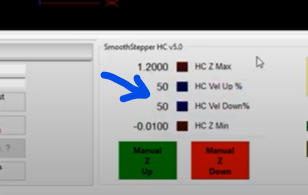
- If height adjustment is unstable, reduce the correction speed percentage.
- Ensure Mach4 is licensed (THC does not work in DEMO mode).
- Trace signals step by step if no response is detected.