 ED
ED
C34SOA6-RS BOARD Rev.1
MARCH, 2026
Table of contents
1.0 OVERVIEW
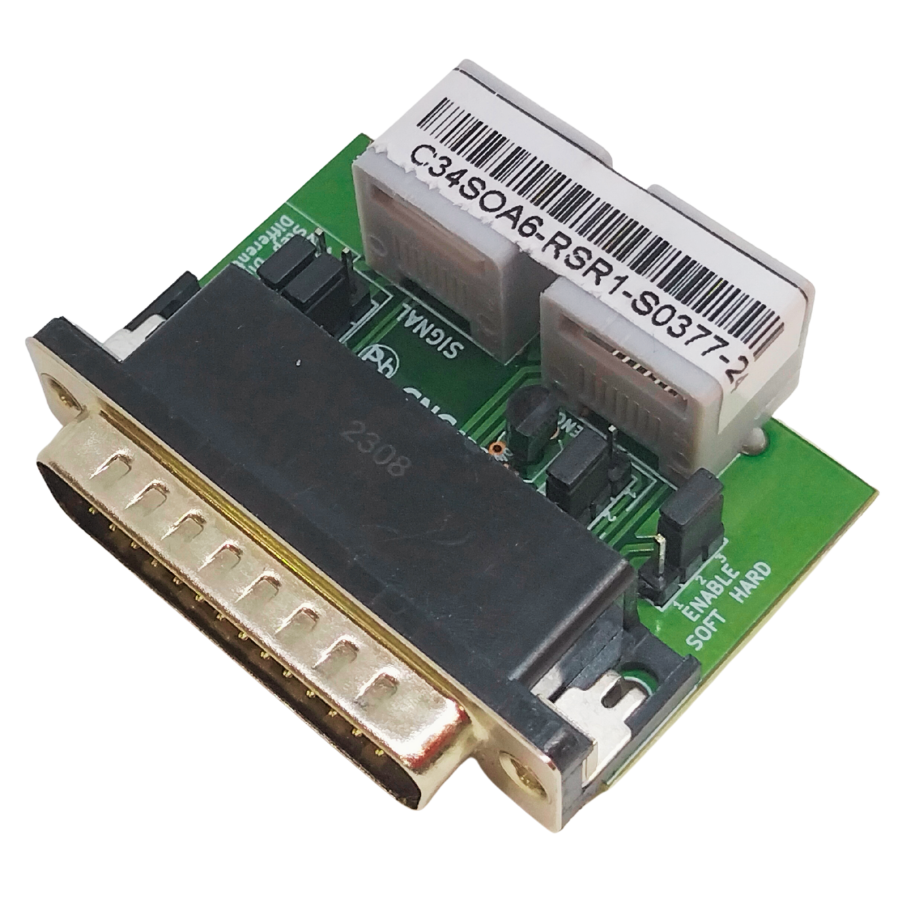
This board interface is used for the connection between C76, C82, C86ACORN, C86MASSO, C35S, and Stepperonline A6-RS AC Servo Drive.
2.0 FEATURES
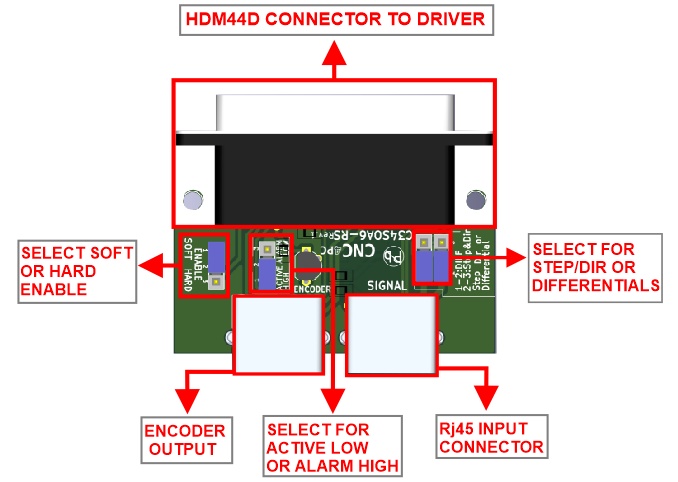
- HDM44D connector for the connection of the driver.
- RJ45 Connector for Axis.
- Encoder Output.
- Select Jumper for Hard Enable or Soft Enable.
- Select a jumper for signal differentials.
- Terminals for the external drive enable a push button.
- Select Jumper active Low and active High
3.0 BOARD DESCRIPTION
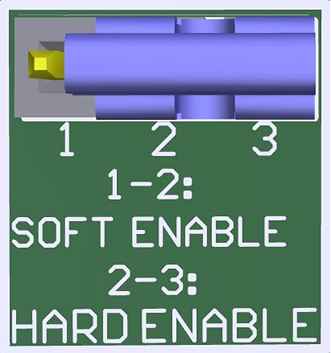
4.0 JUMPER TO SELECT THE ENABLE
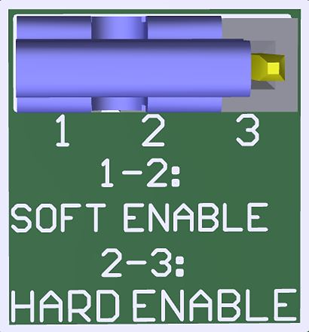
Use
Software Enable to keep the driver active only while the system is active.
Set
of jumpers as shown in the image.
SOFT ENABLE
Use Hardware Enable to keep the driver enabled at all times.
A set of jumpers as shown in the image.
HARD ENABLE
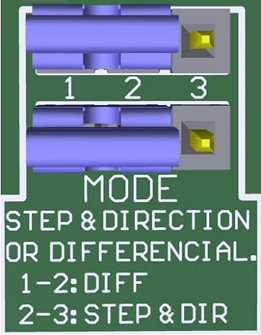
JUMPER TO SELECT THE DIFFERENTIAL
When working with the STEP and DIR inputs as differential signals, you must use the board and set the jumper as shown in the image.
DIFERENTIAL.
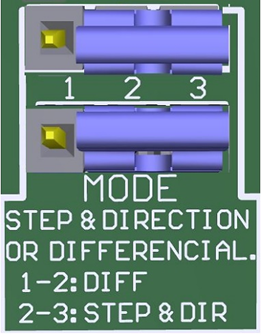
If not, use the differential signal for STEP & DIR, set the jumper as shown in the image.
STEP & DIR
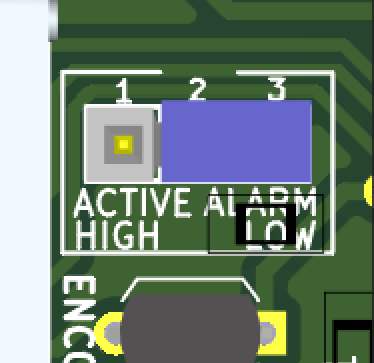
JUMPER TO SELECT ACTIVE LOW AND ACTIVE HIGH
1-2: ACTIVE HIGH
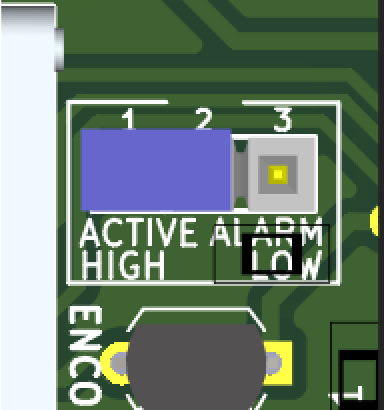
2-3: ACTIVE LOW
5.0 WIRING SAMPLE
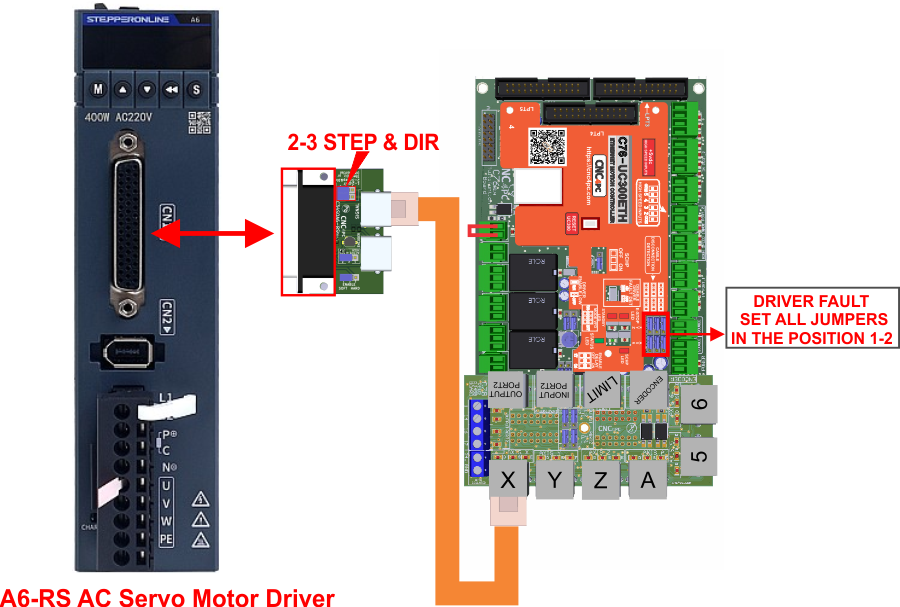
5.1 Diagram of connection with input signals Step & Dir and C76.
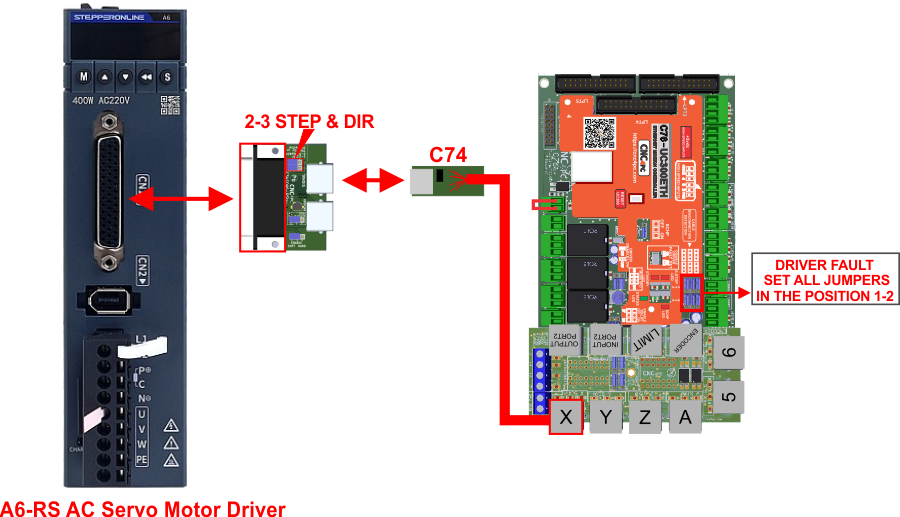
5.2 Diagram of connection with input signals Step & Dir and C76.
6.0 PINOUT
LICHUAN SERVO DRIVE AND C34LC-S CONNECTION
|
RJ45 PIN |
FUNCTION |
HDM44D PIN |
|
2 |
STEP+ |
41 |
|---|---|---|
|
1 |
STEP- |
43 |
|
6 |
DIR+ |
37 |
|
3 |
DIR- |
39 |
|
4 |
GND |
26 |
|
5 |
SOFT ENABLE / ERROR * |
- |
|
7 |
NC |
NC |
|
8 |
+ 5V |
- |
Note:
* Soft enable and Error Alarm signals are related to the RJ45 pin 5 of the C34SOA6-RS board, but they are not connected directly to this pin.
RJ45 for Encoder
HDM44D PIN |
RJ45 PIN |
FUNCTION |
|
29 |
1 |
GND1 |
|
NC |
2 |
NC |
|
24 |
3 |
C- |
|
13 |
4 |
C+ |
|
22 |
5 |
A- |
|
21 |
6 |
A+ |
|
23 |
7 |
B- |
|
25 |
8 |
B+ |
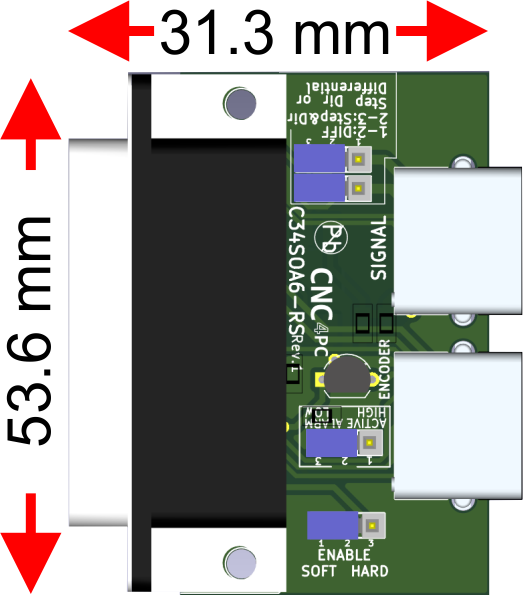
7.0 DIMENSIONS