 ED
ED
C34IHSS86 BOARD Rev.1
January, 2021
Table of contents
1.0 OVERVIEW
This board interface is used for the connection between C76, C82, C86ACORN, C86MASSO, C35S, and and the Leadshine ES-DH AC SERVO DRIVE.
2.0 FEATURES
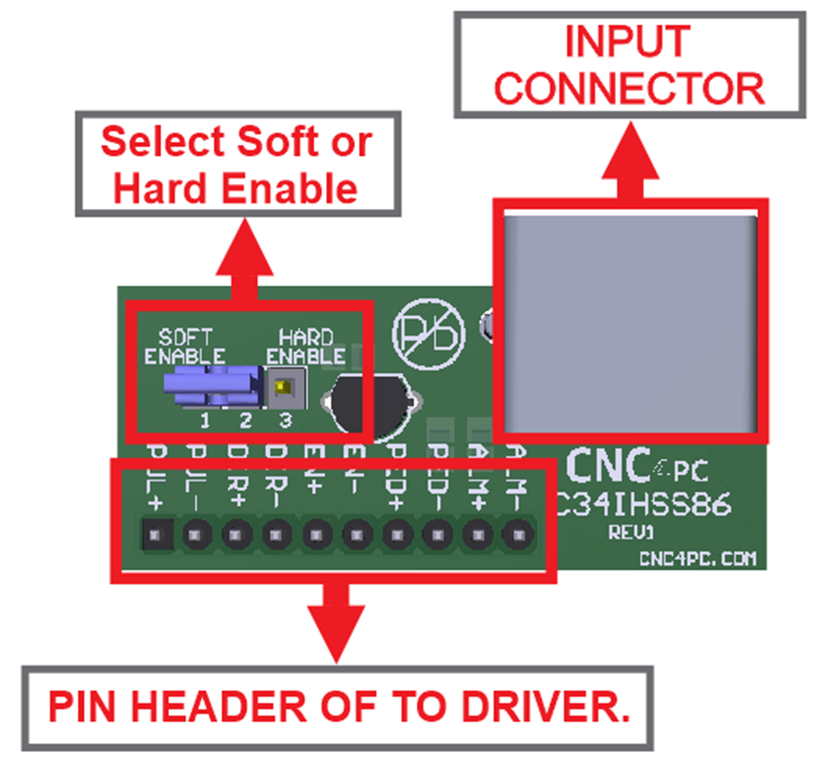
- RJ45 Driver Input Connector.
- Select Jumper for Hard Enable or Soft Enable
3.0 BOARD DESCRIPTION
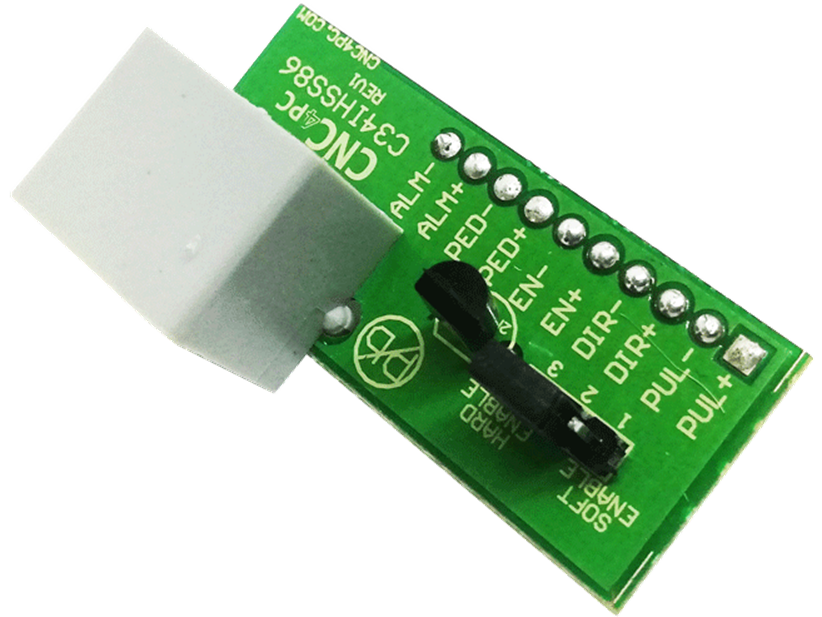
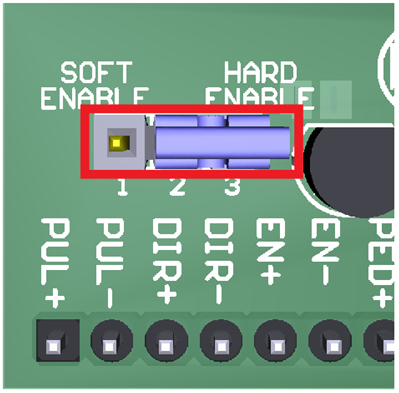
4.0 JUMPER TO SELECT THE ENABLE
Use
Software Enable to keep the driver active only while the system is active.
Set
of jumpers as shown in the image.
SOFT ENABLE
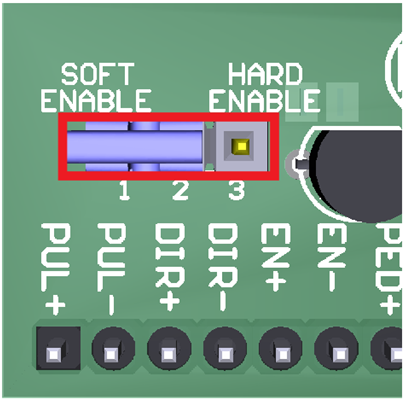
Use Hardware Enable to keep the driver enabled at all times.
A set of jumpers as shown in the image.
HARD ENABLE
5.0 WIRING SAMPLE
5.1 Diagram of connection with input signals Step & Dir and C82.
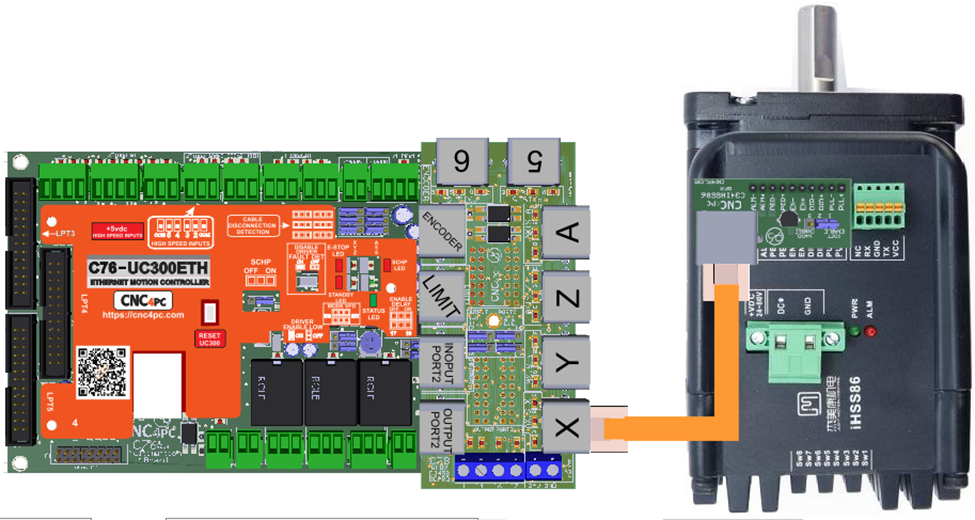
5.2 Diagram of connection with input signals Step & Dir and C82.
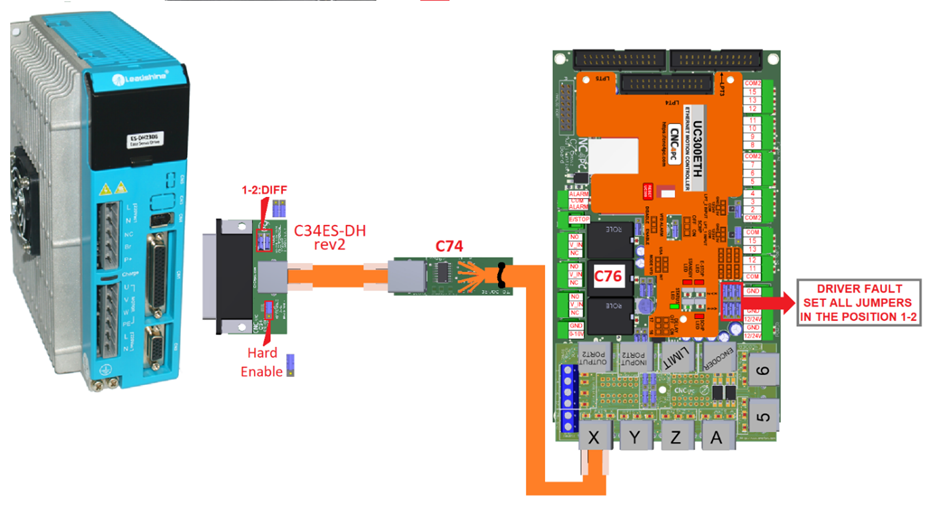
· Try initially wiring just one axis, and connect and configure the other axes once you have one connected as expected.
· It is possible that the active High/Low for the Fault and Enable signals (PA_15 and PA_16) on the servo may need to be inverted. Check page 14 of the manual: https://www.cnc4pc.com/pub/media/productattachments/files/KL-110-80H-Hardware-Manual.pdf
6.0 PINOUT
Leadshine ES-DH AC SERVO DRIVE AND C34ES-DH CONNECTION
|
DB44 PIN |
FUNCTION |
RJ45 PIN |
|
3 |
STEP+ |
2 |
|
4 |
STEP- |
1 |
|
5 |
DIR+ |
6 |
|
6 |
DIR- |
3 |
|
7 |
ALARM |
5 |
|
8 |
GND |
Internally routed |
|
11 |
COM+ |
Internally routed |
|
12 |
COM- |
Internally routed |
Note:
* Servo ON and Alarm signals are related to the RJ45 pin 5 of the C34LC-S board, but they are not connected directly to this pin.
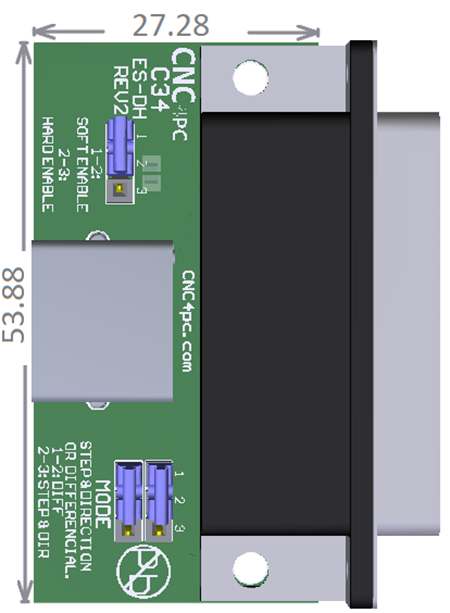
7.0 DIMENSIONS